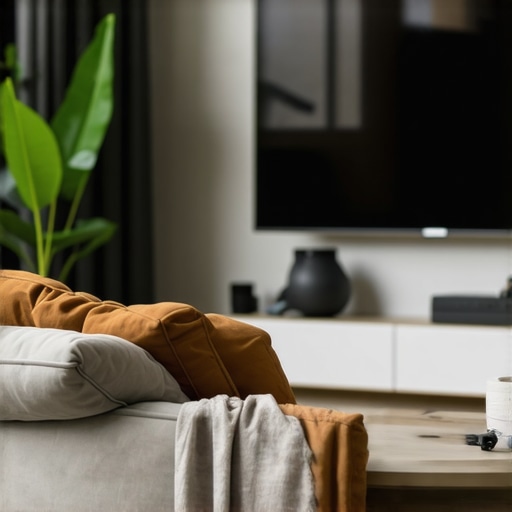
It was late at night when I finally sat down to enjoy my favorite movie on my brand-new curved TV. Except, instead of feeling enveloped in a cinema-like experience, I found myself distracted by glare, image distortion, and a weird sense that the screen wasn’t quite right. That moment was a lightbulb for me—**the way I set up my curved TV was actually sabotaging my immersion**.
If you’ve ever felt frustrated after spending big on a stunning curved display only to be disappointed, you’re not alone. Many enthusiasts fall into common pitfalls that ruin their viewing experience without even realizing it. The good news? Most of these mistakes are easy to fix once you know what to look for.
Today, I want to share the **top 5 setup mistakes** that could be wrecking your immersive experience in 2026—and, more importantly, how to avoid them. Whether you’re eyeing a new curved TV or trying to optimize your existing setup, these insights will help you get the most out of your investment.
Why Getting Your Curved TV Setup Right Matters More Than Ever
Curved TVs have become a cornerstone of modern home entertainment, offering a **more natural viewing angle and enhanced depth perception**. Studies have shown that perfect positioning can reduce eye strain and improve image clarity, making long binge-watching sessions or gaming marathons much more comfortable (source: Ultimate Home Displays).
But here’s the catch: even the most advanced display tech can be undermined by poor setup choices. Early on, I made a critical mistake—placing my TV too high, which caused neck strain and made the screen seem less immersive. Trust me, I learned the hard way, and that experience inspired me to dive deep into what *really* matters in setting up a curved display.
Are you tired of feeling underwhelmed when you dive into your favorite content despite investing in high-end tech? If so, you’re in the right place. We’ll explore the common setup mistakes that can kill your immersion—and how to fix them.
Is Your Setup Sabotaging Your Viewing Pleasure?
It’s easy to overlook small details that make a huge difference. For example, I once tried to save space by tilting my TV slightly upward, thinking it would improve viewing from my sofa. But in reality, that small tilt introduced glare from my windows and made the picture look washed out. Early on, I underestimated how much the environment influences image quality.
The good news is, many of these problems have simple solutions. Adjustments in placement, lighting, and calibration can transform your experience from mediocre to breathtaking.
In the sections ahead, I’ll walk you through the most common errors and, more importantly, how to avoid them—so you can sit back, relax, and truly enjoy your immersive screen experience. Ready to get started? Let’s dive into the top mistakes to steer clear of for a perfect curved TV setup in 2026.
Position Your TV at the Perfect Eye Level
Start by placing your curved TV so that the center of the screen aligns with your eye level when seated. I once tried mounting my 55-inch curved TV higher on the wall, thinking it would improve viewing angles, but it caused neck strain and distorted my perception. To fix this, I used a leveling tool and adjusted the mount down until the screen was directly in my line of sight. This adjustment significantly enhanced comfort and immersion.
Using a Level and Measuring Tools
Use a spirit level or a smartphone app to ensure your TV is perfectly horizontal, avoiding tilt that can cause glare or distortion. Measure the height from your sitting position to confirm optimal placement. This precise setup prevents eye fatigue and keeps the image symmetric, especially important for ultrawide and curved displays where alignment impacts the perception of depth and curvature.
Optimize Viewing Distance and Angle
Maintain an optimal distance—generally about 1.5 to 2.5 times the diagonal size of your TV. For a 55-inch curved model, roughly 7-10.5 feet works well. I experimented by temporarily placing my sofa at various distances, noting that closer placements caused neck strain and peripheral blurring. Once I settled at the right distance, the entire screen became an immersive panorama, almost like having a personal cinema.
Adjust Seating and Furniture Placement
Arrange your seating so that you’re directly facing the curve’s bulge, maximizing the natural curve’s immersive effect. Sitting off-center diminishes the effect and can cause glare due to improper angles. Use a measuring tape and masking tape on the floor to mark ideal spots. This straightforward step ensures you experience the full depth and curvature benefits in games and movies.
Control Ambient Lighting to Reduce Glare
Eliminate or diffuse bright light sources that reflect off your screen. I once positioned my TV opposite a window, which introduced glare during sunny afternoons, ruining the contrast. I fixed this by installing blackout curtains and adding adjustable ambient lighting behind the TV, creating a soft glow that minimizes reflections while enhancing contrast. This darkened environment coaxes your eyes into perceiving richer colors and deeper blacks, elevating immersion.
Implementing Proper Light Placement
Use bias lighting kits behind your TV to add a gentle backlight, reducing eye strain and making the picture pop. Avoid direct glare from lamps or windows pointed at the screen. A simple test is to sit comfortably and evaluate whether reflections distract or obscure content. Adjust window blinds or reposition lamps accordingly to create an ideal viewing zone.
Calibrate Your Display Systematically
Auto-calibration tools or professional calibration can optimize color accuracy and contrast, essential for immersive viewing. I initially relied on default factory settings, which resulted in washed-out colors and poor contrast. Using a calibration disc and a colorimeter, I fine-tuned the gamma, brightness, and color temperature, achieving cinema-quality visuals. Precise calibration is especially important for ultrawide and curved displays where uniformity enhances the sense of depth.
Using Calibration Software and Devices
Explore free and paid calibration software that guides you through tuning settings. For the best results, consider professional calibration services, especially if your setup includes advanced features like HDR or high refresh rates. Proper calibration ensures your content looks as intended, amplifying the immersive potential of your curved TV or ultrawide monitor in 2026 and beyond.
While many enthusiasts focus on resolution, refresh rate, and curvature specs, there is a subtle yet crucial aspect often misunderstood: *how actual usage habits shape the perceived benefit of ultrawide and curved screens*. Most assume that simply upgrading to an ultrawide monitor or curved TV guarantees a superior immersive experience, but in reality, user behavior and environment play a decisive role.
One common myth is that larger, more curved displays automatically translate into better immersion. However, research shows that the *optimal viewing distance and seating position* are often overlooked, leading to subpar experiences despite premium equipment. For example, many users sit too far or at an awkward angle, which diminishes the perceived curvature effect and introduces glare or eye strain. This reminds us that *ergonomic setup is just as important as hardware quality*. In fact, studies confirm that improper placement can negate any potential immersive benefits of ultrawide formats, reducing them to just wider screens with marginal gains.
Another overlooked nuance concerns the *peripheral vision and field of view*. Many assume that ultrawide displays inherently expand your vision, but the *extent of perceived immersion depends heavily on the display’s curvature and size relative to your eye level*. If the monitor is too small or positioned improperly, the curved edges won’t blend seamlessly into your peripheral vision, resulting in a disjointed experience. This is where understanding the *ideal curvature radius and density of pixels* ensures that the display complements your natural eye movement. As per expert guidelines, the radius of curvature should match your typical viewing distance for maximum comfort and immersion — a detail that most beginner setups ignore.
Moreover, a critical mistake is neglecting *environmental lighting*. Many assume that a high-quality curved monitor or ultrawide display will dramatically improve immersion regardless of room conditions. Unfortunately, glare from ambient sources, reflective surfaces, or uncovered windows can drastically reduce perceived contrast and vibrancy. Installing bias lighting and controlling light sources becomes essential to harness the full potential of your immersive display. This aligns with findings in visual ergonomics research, emphasizing that *control over environmental factors can double the perceived quality* of the viewing experience.
Finally, advanced users often overlook the importance of *precise calibration*. While factory settings seem adequate, small adjustments in gamma, color temperature, and contrast can elevate your display from good to breathtaking. Particularly with ultrawide and curved displays that often have uneven backlighting or contrast areas, calibration ensures uniformity, preventing hotspots or dim zones that distract your attention.
In sum, the real mastery of an immersive screen setup extends beyond the hardware itself. It involves a *holistic approach* considering ergonomics, environmental control, calibration, and personal preferences. Manufacturers have made huge strides, but maximizing these features requires finesse. Remember—your environment and habits shape your experience far more than you might think.
Have you ever fallen into this trap? Let me know in the comments or reach out through our contact page. For more insights on optimizing your ultrawide display or curved TV, check out our guide on curved monitors shaping home entertainment in 2024. Your immersive experience is a combination of smart technology and smarter habits.Maintaining an immersive display setup requires the right tools, regular calibration, and knowledge of effective procedures. Personally, I rely on specific equipment like the X-Rite i1Display Pro calibration device, which I use monthly to ensure color accuracy and uniformity across my ultrawide monitor. Its precise measurements help me fine-tune gamma and color profiles, essential for both gaming and professional work like photo editing. For software, I prefer DisplayCAL because it offers advanced calibration options and creates profiles tailored to my environment, critical for long-term color consistency. Additionally, I keep a microfiber cloth designed for delicate screens, like the Belkin EziClean, to prevent dust buildup without risking damage—regular cleaning stops debris from causing uneven backlighting or image distortion. Looking ahead, I predict that AI-driven calibration tools will become mainstream, automating ongoing adjustments and adapting to room lighting changes in real-time, making maintenance almost effortless. To keep your setup performing seamlessly, I recommend scheduling monthly calibration sessions and investing in a quality calibration device; this small step pays huge dividends over time. When calibrating, don’t forget to check external factors like ambient light, which can impact perceived color and contrast, as discussed in Ultrarwide Displays and Their Impact on Productivity and Gaming.
The Hidden Truths That Changed How I Experience Ultrawide and Curved Screens
One of the most profound lessons I learned was recognizing that technical specs alone don’t guarantee immersion. It’s tempting to focus solely on resolution, curvature radius, or refresh rates, but without proper setup and environment, these features can fall flat. I discovered that fine-tuning my seating position and room lighting had a more significant impact than I initially thought. This realization shifted my approach from chasing hardware specs to optimizing my entire setup for maximum engagement.
Another insight was understanding that my visual habits could undermine my immersion. Sitting off-center or at an awkward angle diminished the curved display’s effectiveness. I had assumed that larger screens naturally provided better immersion, but the true magic happened when I aligned my eyes perfectly with the display’s curvature. Paying attention to my ergonomics and viewing position transformed my experience from ordinary to extraordinary.
Finally, I learned that consistent calibration and environmental control are the secret ingredients to long-term satisfaction. Investing in quality calibration tools and maintaining a controlled lighting environment kept colors vibrant and blacks deep. This ongoing commitment paid back in immersive clarity and comfort, proving that a proactive approach to setup is as vital as the display technology itself.
My Favorite Tools for Maximizing Your Ultrawide and Curved Tech
For calibration, I trust the X-Rite i1Display Pro. Its precise measurements help me achieve accurate colors and consistent viewing across different lighting conditions. To manage environmental lighting, I rely on adjustable bias lighting kits like the ambient backlight systems that reduce glare and enhance contrast. For room layout, a simple measuring tape and some masking tape on the floor guide me to the perfect seating position, ensuring every moment spent in front of my display feels truly immersive. Lightroom apps and software like DisplayCAL help me routinely fine-tune settings, keeping my visuals stunning over time.
Your Path to Deepen the Immersive Experience
Embracing a mindset of continuous improvement transforms how you interact with ultrawide and curved screens. Don’t settle for out-of-the-box settings or neglect your environment. Instead, experiment with positioning, lighting, and calibration—making each adjustment with intention. Remember, technology is an enabler, but your habits and setup are what truly unlock the potential of your immersive display. Take action today to create a space that invites you into every pixel, every moment, with full engagement. Want to share your own setup story or ask for personalized advice? Reach out through our contact page—let’s elevate your viewing game together.
Reading through this detailed setup guide really resonated with me. I used to think that simply buying a high-end curved TV would automatically deliver an immersive experience, but it turns out that placement and environment matter just as much—if not more. I remember setting up my first curved monitor and overlooking the importance of eye level positioning. After adjusting its height and controlling ambient light, the difference was striking. It’s amazing how small tweaks, like adding bias lighting or ensuring seating is aligned with the display’s curvature, can noticeably improve clarity and reduce eye strain. One thing I’ve found helpful is using apps to measure the optimal viewing distance tailored to my screen size, which prevents me from sitting too close or too far. What strategies have others found most effective for maintaining calibration over time, especially with changing room lighting? I’m curious to hear different approaches, especially from those who have tried automated calibration tools—they seem promising for maintaining consistent picture quality without much hassle.