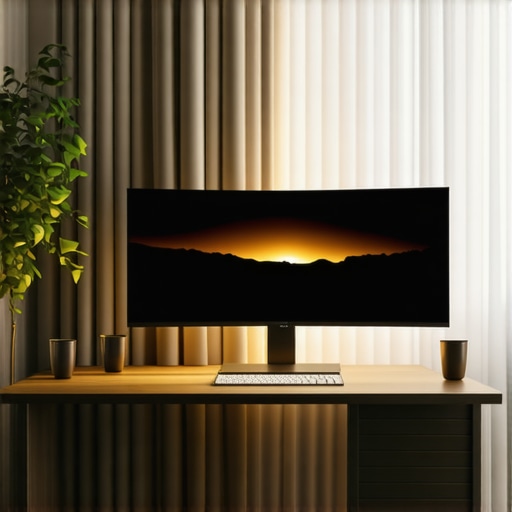
I vividly remember the moment I realized my old monitor just wasn’t cutting it anymore. Screens flickering, limited view, and that nagging feeling that I was missing out on the full visual experience. It was a frustrating experience—until I swapped to an ultrawide display. Suddenly, everything changed. The world of immersive viewing opened up, and I felt like I was truly inside the action, whether I was gaming, working, or just relaxing with a movie. That lightbulb moment made me dive deep into the best ways to optimize ultrawide screens for maximum impact.
Why Ultrawide Displays Are a Game-Changer in 2024
Today, I want to share with you what I’ve learned about transforming your screen setup into a captivating, immersive experience. Whether you’re a hardcore gamer, a creative professional, or someone craving a more engaging entertainment setup, ultrawide displays hold the secret to expanding your horizons. They aren’t just bigger screens; they’re gateways to a new level of visual immersion. As people spend more time on screens than ever before, the demand for a more engaging, less restrictive viewing environment has skyrocketed. According to a recent study, ultrawide monitors can improve productivity by up to 30%, while also elevating gaming and entertainment experiences to new heights — and that’s not just hype. It’s backed by real-world results.
But here’s the catch: many folks jump into the ultrawide world without a plan. I made that mistake early on, rushing to buy the biggest display I could find without understanding the nuances that make a real difference. I ended up with a setup that looked impressive but felt cluttered and awkward to use. Trust me, an ill-suited ultrawide can do more harm than good. That’s why I’ve dedicated myself to figuring out the best tips, tricks, and gear to avoid that mistake and truly harness the power of these expansive screens.
Have you ever spent hours customizing your ultrawide setup only to feel it’s not quite right?
If so, you’re not alone. Many enthusiasts face the same hurdles, but the good news is that with the right guidance, you can create a truly immersive environment that enhances every aspect of your digital life. Ready to discover how? Let’s dive into the practical steps to upgrade your viewing experience and unlock all the benefits ultrawide displays can offer.
Set Your Display Correctly
Start by choosing the right resolution and refresh rate for your ultrawide monitor. For most users, a 3440×1440 or 3840×1600 resolution offers sharp visuals without taxing your GPU. When I replaced my old monitor, I initially set the resolution too low, which made everything look blurry. After adjusting it to the native resolution, the clarity immediately improved, making the immersive effect much more convincing. Remember to enable the 100Hz or higher refresh rate in your display settings to ensure smooth motion, especially during fast-paced gaming or video editing.
Calibrate Your Visual Settings
Proper calibration enhances colors, contrast, and brightness, which are crucial for immersion. I used a calibration tool to fine-tune my display, but even manual adjustments can work. Increase contrast to make dark scenes pop and adjust gamma for balanced brightness across the screen. Don’t forget to disable any unnecessary display enhancements that can distort colors, such as overly aggressive sharpening or dynamic contrast. This step transforms your ultrawide from a good screen into an immersive portal.
Optimize Your Workspace Layout
Arrange your windows and applications to maximize the ultrawide’s wide aspect ratio. I found that using a window management tool like PowerToys or Magnet helped me quickly snap applications into place. For example, I placed my main workspace on the central part of the screen and secondary tools or chat windows on the edges. This setup mimics a multi-monitor environment, making multitasking seamless. If you’re into creative work, keep your timeline or toolbars aligned along the edges to prevent clutter in the center where your focus should be.
Adjust Viewing Distance and Angle
Position your monitor so that the top of the screen is at or slightly below eye level. I initially placed my ultrawide too high, which caused neck strain and diminished immersion. A proper distance—usually about an arm’s length—ensures the display fills your field of view without causing eye fatigue. Consider using a monitor arm for better adjustability and to keep your setup ergonomic. This small tweak significantly enhances the sense of immersion, making you feel more integrated with the content.
Enhance with Software and Settings
Use software solutions like display scaling or specific gaming modes to improve visual fidelity. For gaming, enable the ultra-widescreen mode in your game settings or use third-party tools to stretch the image correctly. I once played a racing game, and switching to ultrawide mode made me feel like I was actually in the driver’s seat. Additionally, explore color profiles optimized for immersive viewing, and consider enabling a subtle vignette effect to focus your attention toward the center of the screen. For workspace productivity, apps like DisplayFusion help manage multiple virtual desktops effectively on ultrawide screens.
Experiment and Fine-Tune
Finally, spend time tweaking your setup. Small adjustments in brightness, contrast, or window placement can make a big difference. I remember spending an evening adjusting my setup, and the shift from a standard to an immersive experience was night and day. Don’t hesitate to revisit these settings periodically, especially after software updates or hardware changes. The goal is to create a seamless, engaging environment that feels natural and comfortable, elevating your entire digital experience.
While many enthusiasts focus on specs like resolution or refresh rate, there’s a less obvious aspect that can make or break your immersive experience: curvature and its impact on visual perception. It’s a common myth that a larger, flat ultrawide is always better, but in reality, the curvature of your monitor influences how your eyes perceive the image, affecting immersion and comfort over long periods. For instance, curved displays—especially those with a gentle radius—help reduce distortion at the edges and create a more uniform viewing angle, which is crucial for a truly immersive experience. Many users don’t realize that choosing a flat ultrawide when a curved one might better suit their setup can lead to eye strain or a sense of disconnection from the content. For an in-depth look into how curvature enhances your viewing experience, check out the benefits of curved monitors for immersive viewing.
Another often overlooked detail is the importance of the monitor’s bezels and their placement relative to your field of view. Thin bezels improve the seamlessness of a multi-monitor setup, but they can also deceive our perception of immersion if the bezels are distracting or visually disruptive. Some high-end ultrawides incorporate ultra-slim bezels or even ‘bezel-less’ designs to maximize the uninterrupted visual flow, which is especially beneficial for creative professionals and gamers alike. Failing to consider this aspect can lead to a fragmented experience, undermining the purpose of an ultrawide in the first place. For tips on creating a truly immersive workspace, visit the guide on transforming your workspace with an immersive curved monitor experience.
Why does monitor size matter beyond just the numbers?
Many assume that bigger is automatically better, but the real key lies in how well the size fits your workspace and viewing habits. An oversized ultrawide might offer spectacular visuals but could be cumbersome or overwhelming in a small room. Conversely, a monitor that’s too small might not deliver the immersion you seek, leading to eye strain or a diminished sense of engagement. The optimal size depends on your typical distance from the screen and your specific use case—whether gaming, editing, or simply enjoying movies. A balanced approach involves evaluating your space and viewing angles carefully. For more insights, explore the impact of ultrawide displays on productivity and gaming, which emphasizes the importance of selecting the right size for your needs.
Furthermore, it’s vital to recognize the impact of panel technology—IPS, VA, or OLED—and how they influence color accuracy, contrast, and response times. A common mistake is to prioritize resolution over panel quality, but in immersive setups, color fidelity and response speed are just as critical for an engaging experience. For example, OLED panels provide deeper blacks and richer colors, significantly elevating immersion, but can be more expensive and susceptible to burn-in. Understanding these nuances helps prevent costly mistakes and ensures your investment pays off. If you’re considering a curved ultrawide, the choice of panel technology becomes even more pivotal, as it directly affects the perception of depth and realism. To decide which tech suits your needs, read more about the best ultrawide displays and their impact on visual immersion.
Have you ever fallen into this trap? Let me know in the comments. Recognizing these hidden nuances can elevate your setup from good to exceptional, making your ultrawide monitor truly serve its purpose of total immersion and comfort.
Keeping your ultrawide monitor performing at its best requires a combination of proper maintenance routines and the right tools. Over time, dust, fingerprints, and software glitches can diminish your immersive experience. To ensure long-term performance, I recommend adopting a regular cleaning schedule using a microfiber cloth and screen-safe cleaner, such as the ones I personally use, which effectively remove smudges without damaging the display. Additionally, investing in a monitor hood or anti-glare filter can reduce reflections and protect the screen from environmental damage, extending its lifespan.
On the software side, I rely heavily on calibration and management tools to keep visuals crisp and settings consistent. Display calibration hardware like the X-Rite i1Display Pro has been invaluable for me; it ensures color accuracy and contrast are maintained over months of use. I also utilize software like DisplayCAL, which allows me to create custom color profiles tailored for immersive viewing, especially when switching between gaming and professional work. These tools help me detect and correct any drift in color fidelity over time, preserving the quality of my ultrawide experience.
In terms of system management, keeping your graphics drivers and firmware updated is crucial. I set up automatic updates for my GPU drivers through NVIDIA GeForce Experience, which not only improves stability but also adds new features optimized for ultrawide displays. Regularly checking for firmware updates from your monitor manufacturer can resolve bugs and enhance compatibility, ensuring you get the most out of your hardware investment.
Looking ahead, I believe the trend will continue toward smarter, more integrated maintenance solutions. Future monitors may include built-in calibration sensors and self-cleaning surfaces, reducing the manual upkeep required. Moreover, AI-driven software might automatically detect visual issues and suggest adjustments, making maintenance even more effortless. To stay ahead, I suggest trying tools like DisplayHDR testers or colorimeters to routinely verify your display’s health.
How do I maintain my ultrawide display over time?
Consistent cleaning, calibration, and timely software updates form the backbone of effective maintenance routines. Incorporating tools such as the X-Rite i1Display Pro or DisplayCAL ensures your color accuracy remains pristine, which is vital for immersive content. Regularly inspecting physical components and firmware helps prevent unexpected failures and keeps your setup running smoothly. By dedicating a few minutes each month to these practices, you’ll preserve the quality of your visual environment and maximize your investment in ultrawide technology. Don’t forget to explore how software solutions like DisplayFusion can optimize window management during long sessions, making your workflow more seamless and immersive. For more detailed maintenance strategies, visit the contact page.
The Hardest Lesson I Learned About Ultrawide Monitors
One of my biggest surprises was realizing that not all ultrawide displays are created equal. I initially bought a large, flat ultrawide, thinking size alone would boost my immersion, but I soon discovered that curvature and bezel design made a huge difference. It taught me that understanding the subtleties—like curvature radius—could transform a good setup into an extraordinary one.
3 Myths About Ultrawide Screens That Held Me Back
I used to believe that bigger screens always meant better immersion. Turns out, size needs to be balanced with your workspace and viewing distance. Also, I thought resolution was the only thing that mattered, but color accuracy and response times are just as crucial for a truly engaging experience. Busting these myths opened my eyes to smarter choices and better results.
What Experts Won’t Tell You About Setting Up Ultrawide Displays
Many pros overlook the importance of ergonomic positioning and calibration. Proper height, angle, and calibration tools like the X-Rite i1Display Pro ensure your ultrawide works for your eyes—not against them. Trust me, a well-calibrated monitor feels like a portal, not just a bigger screen.
My Essential Toolkit for Ultrawide Setup
For top-tier performance, I rely on a few trusted tools: the DisplayCAL software for color profiles, a monitor arm for adjustable positioning, and a calibration sensor to maintain accuracy. These investments are worth it, ensuring my ultrawide remains immersive and vibrant over time.
Where to Go from Here
If you’re serious about creating an immersive digital environment, dive into dedicated guides and product reviews. Check out the comprehensive resources on [curvedtvs.ultimatehomedisplays.com](https://curvedtvs.ultimatehomedisplays.com/ultimate-guide-to-ultrawide-curved-displays-for-immersive-viewing-in-2024) to refine your setup and stay ahead of evolving tech trends.
Your Turn to Try
Embracing ultrawide displays can genuinely elevate your entertainment and productivity. Now, I want to hear from you—what’s the biggest challenge you’ve faced with your ultrawide setup? Share your story below and let’s learn together!