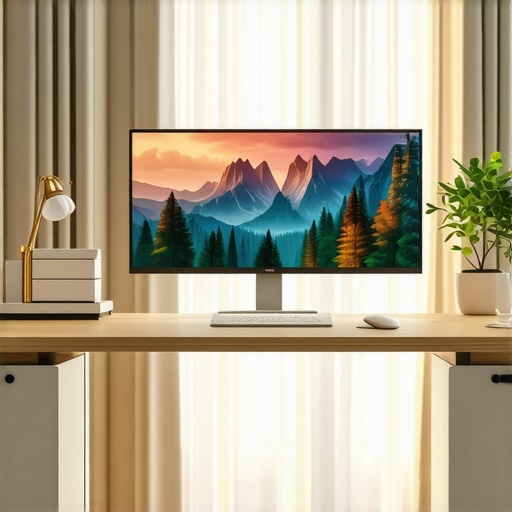
I remember the exact moment I realized I had been missing out on something crucial. I was knee-deep in a gaming marathon, my eyes darting between a standard monitor and a half-hearted attempt at multitasking on a dual setup. The frustration was real. The screen edges felt like walls closing in, and the constant toggling between windows killed my flow. That’s when I had my lightbulb moment: I needed a truly immersive display that could handle my passion for gaming, work, and entertainment all at once.
Why the right monitor setup can change everything
Fast forward to today, and I’ve fully embraced ultrawide and curved monitors. They’ve transformed my workspace and gaming zone into a seamless, immersive environment. No more squinting at tiny windows or battling with awkward split screens. Instead, I get panoramic views that boost productivity, reduce eye strain, and elevate my entertainment to new heights. If you’re tired of feeling constrained by traditional screens, this guide promises to help you navigate the best options for 2024 and beyond.
Is the hype about ultrawide and curved displays actually justified?
When I first looked into these screens, I was skeptical. The price tags, the setup hassles, and the fear of wasted money haunted me. I made a crucial mistake early on—buying a cheaper, non-curved ultrawide that looked impressive but felt flat and awkward in real use. It was only after I upgraded to a high-quality curved ultrawide that I realized the difference a well-designed display can make. This isn’t just about aesthetics; it’s about how your eyes and brain perceive and process visual information, making everything feel more natural and comfortable. According to research, curved screens help reduce distortion and eye fatigue, especially during long sessions (source: Ultimate Home Displays).
So, if you’ve ever hesitated because you’re unsure whether this trend is just hype, I get it. But trust me, choosing the right ultrawide or curved monitor can redefine your digital experience. Ready to see how to pick the best one for your needs? Let’s dive into the practical steps that will turn your setup from ordinary to extraordinary.
Assess Your Space and Needs
Before diving into the tech specs, measure your workspace to determine what size and curvature will fit comfortably. I once tried fitting a 34-inch ultrawide in a cramped corner; it looked impressive but felt claustrophobic. Use a tape measure and visualize the monitor’s footprint to avoid a costly mistake. Think about your main activities—gaming, work, or multimedia—and prioritize features accordingly.
Identify Your Budget and Top Picks
Set a realistic budget. For example, I started with a mid-range model around $600, which delivered decent performance, but upgrading to a premium curved ultrawide for $1,200 transformed my experience. Check out curated lists like top ultrawide and curved monitors for 2024 to find options that balance features and price. Prioritize brands known for quality and after-sales support.
Choose the Right Curvature and Size
Curvature impacts immersion and comfort. A 1000R curvature mimics the natural curve of your eye, reducing distortion and eye strain. I opted for a 34-inch model with 1500R curvature, providing a panoramic view without overwhelming my desk. The size should match your workspace—larger screens boost immersion but require more space. Consider a 32-34 inch ultrawide for most setups, and remember, bigger isn’t always better if your desk can’t support it.
Focus on Resolution and Refresh Rate
Resolution determines image clarity. For ultrawides, 3440×1440 offers sharp visuals without demanding too much GPU power, unlike 4K ultrawides which need high-end graphics cards. I tested a 3440×1440 model, and the crispness was perfect for gaming and multitasking. Refresh rate matters for gaming; aim for at least 100Hz for smooth motion. I found that a 120Hz monitor eliminated ghosting and provided a more fluid experience during fast-paced games.
Prioritize Connectivity and Adjustability
Check for multiple input options like HDMI, DisplayPort, and USB-C. I connected my monitor to both my gaming PC and laptop seamlessly. Ergonomic features such as height adjustment, tilt, and swivel are crucial for comfort during long sessions. I adjusted my monitor to eye level, which significantly reduced neck strain and improved focus. Don’t overlook VESA compatibility if you plan to mount your monitor for a cleaner setup.
Test Before You Buy and Seek Expert Advice
If possible, visit a store to see the models in person. I once ordered online without testing, only to find the curvature felt unnatural. Use resources like contact experts for advice on configuration and troubleshooting. Reading reviews and watching demo videos also helps visualize the real-world performance of your chosen monitor.
Optimize Your Setup for Immersive Experience
Once installed, calibrate your display for color accuracy and brightness. Use software tools to fine-tune the contrast and gamma settings. Position your monitor to minimize glare and reflections, especially if you have windows nearby. A well-placed ultrawide or curved monitor will make all the difference in your daily productivity and entertainment.
Many enthusiasts and even seasoned users fall into traps when selecting ultrawide or curved monitors, believing they fully understand their capabilities. Let’s dig deeper into what most people get wrong, often unknowingly limiting their experience or wasting money.
Why the craze for larger and curvier always oversimplifies your needs
One prevalent misconception is that bigger, more curved screens automatically lead to better immersion. While size and curvature are important, they are not the only factors. For instance, a common mistake is prioritizing a high curvature like 1500R without considering the actual viewing distance. Curves that are too aggressive may cause distortion or discomfort if you sit too close. For optimal comfort and immersion, matching the monitor’s curvature to your typical viewing distance is crucial. The research suggests that a 1000R curvature aligns well with most people’s natural eye movement, providing a more natural viewing experience.
Moreover, many users overlook the importance of resolution relative to screen size. A 34-inch ultrawide with 1080p resolution may look blurry and pixelated, especially when viewed up close. Instead, a higher resolution like 3440×1440 or 4K, tailored to your monitor size, ensures sharp visuals. This nuance is often missed in the hype cycle where bigger is equated with better, but in reality, resolution and pixel density matter more for clarity.
Beware the trap of neglecting color accuracy and refresh rates
Some users focus solely on size, curvature, or even brand reputation, neglecting key specs like color accuracy and refresh rate. For creative work, especially photo editing or video production, color fidelity is paramount. An ultrawide monitor with poor color reproduction can do more harm than good. Similarly, gamers often chase high refresh rates (like 144Hz or 240Hz), but overlook whether the monitor supports adaptive sync technologies like G-Sync or FreeSync, which smooth out gameplay and reduce tearing. Choosing a monitor with the right combination of these features can significantly elevate your experience, and ignoring them is a common pitfall.
What advanced users should know about monitor calibration and ergonomics
Beyond specs, many enthusiasts fail to calibrate their monitors properly, leading to subpar visual fidelity. Using tools like colorimeters or calibration software can unlock the true potential of your screen. Also, ergonomic adjustability often gets overlooked. Even the best ultrawide can cause neck strain if it’s not adjustable or positioned correctly. Ensuring your monitor supports height, tilt, and swivel adjustments is vital for long-term comfort and productivity. A poorly positioned ultrawide can negate the benefits of an immersive display.
Finally, be cautious about the quality of panel technology—IPS panels generally offer better color and viewing angles compared to TN or VA. This choice impacts your overall experience, especially during extended use. For more insights on how to optimize your setup, check out the full guide.
Have you ever fallen into this trap? Let me know in the comments!
Maintaining your ultrawide curved monitor over time ensures it continues to deliver stunning visuals and immersive experiences. From routine cleaning to software calibration, the right tools and methods can extend your display’s lifespan and keep it performing at its best. In this article, I’ll share the specific equipment and techniques I personally use, along with insights into the future of monitor upkeep.
How do I maintain my monitor for long-term performance?
First and foremost, regular cleaning is essential. I recommend using a microfiber cloth, such as the MagicFiber brand, which is gentle yet effective at removing dust and fingerprints without scratching the screen. For cleaning solutions, I prefer a 70% isopropyl alcohol mixed with distilled water in a 1:1 ratio. This mixture safely cleans the display surface without risking damage. I apply it to the cloth—not directly on the screen—and gently wipe in circular motions. Avoid harsh chemicals like ammonia or abrasive cleaners, which can harm the panel.
Next, software calibration plays a crucial role. I use the DisplayCAL tool, an open-source software that calibrates color accuracy using a colorimeter like the X-Rite i1Display Pro. This device measures your monitor’s color output, enabling precise adjustments for brightness, contrast, and gamma. Regular calibration ensures your colors remain true, especially important if you work with visual content or gaming.
To keep your display running smoothly, monitor firmware updates are often overlooked. Manufacturers frequently release updates that improve performance and fix bugs. I visit the monitor brand’s official support site—like here—to check for firmware updates periodically. Installing these updates can resolve issues that might degrade image quality over time.
Hardware-wise, investing in an anti-glare screen protector can reduce reflections and protect your monitor from scratches or smudges. Although many ultrawide monitors come with robust glass panels, a tempered glass protector adds an extra layer of defense without compromising clarity or color accuracy.
Looking ahead, the trend in monitor maintenance is moving toward automated calibration using integrated sensors. Companies are developing displays with built-in ambient light sensors and self-calibrating tech, making upkeep effortless. For example, the future of curved displays includes intelligent calibration systems that adjust settings in real-time, ensuring optimal performance regardless of ambient conditions.
To get the most out of your ultrawide curved monitor, I highly recommend trying the software calibration process with a dedicated colorimeter like the X-Rite i1Display Pro. It’s a game-changer for color fidelity and long-term consistency. Regular cleaning with gentle materials and firmware updates will keep your display looking and performing like new for years to come. Have you considered integrating automated calibration into your maintenance routine? It’s an advanced step that can make a noticeable difference in your viewing experience.
Insider Lessons That Changed My View on Screen Immersion
- Don’t assume bigger always means better. I once bought a 49-inch ultrawide expecting a WOW factor, but it overwhelmed my workspace and caused discomfort. Size must match your viewing distance and desk space.
- Curvature is a game-changer, but only if it aligns with your natural eye movement. A 1000R curve felt perfect for me, but a more aggressive curve caused distortion and eye fatigue.
- High resolution makes all the difference. A 3440×1440 ultrawide provides sharp visuals without needing a top-tier GPU, unlike 4K which demands more power but offers crisper images.
- Color accuracy and refresh rate are often overlooked. For creative work, IPS panels with high color fidelity matter. For gaming, adaptive sync and high refresh rates make gameplay smoother and more immersive.
My Go-To Resources for Screen Mastery
- DisplayCAL: I use this free calibration software with my X-Rite i1Display Pro to ensure perfect color accuracy. It’s a must-have for creators and serious gamers alike.
- Top Ultrawide and Curved Monitors for 2024: This curated list helped me find monitors that balance performance and price. Check it out to discover models tailored for immersive experiences.
- Ultimate Guide to Ultrawide Curved Monitors: This comprehensive resource deepened my understanding of technical specs and setup tips, making my investment more informed.
Ignite Your Screen Journey Today
There’s something truly transformative about an ultrawide or curved monitor—an experience that elevates your work, gaming, and entertainment to a new level. Don’t wait to unlock this potential; start exploring and customizing your ideal setup now. Your ultimate visual immersion awaits.
What’s the biggest challenge you face when choosing or setting up an ultrawide or curved monitor? Share your thoughts below!