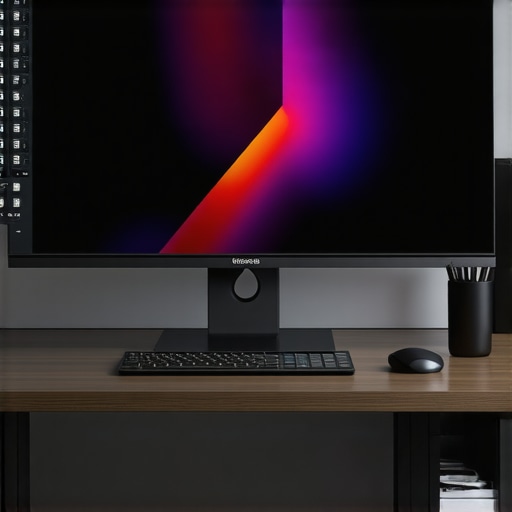
I remember the moment I first sat down in front of a curved ultrawide monitor, expecting just a bigger screen. Instead, what I got was an entirely new world of immersion that made everything else feel tiny and disconnected. It was like stepping into a different dimension where my work and play merged seamlessly. But, honestly, I also faced a lot of skepticism about whether all that extra width was really worth it, especially considering the price and space it demands.
The Game-Changing Power of Ultrawide Screens
Since that eye-opening experience, I’ve become a firm believer that ultrawide displays are more than just a fancy upgrade — they can genuinely elevate your entire viewing experience. Whether you’re gaming, watching movies, or working on complex projects, these screens wrap you in a more natural, panoramic view. This isn’t just about size; it’s about how the extra width improves your focus, productivity, and even your enjoyment of entertainment. If you’ve ever felt cramped by a regular monitor or frustrated with split screens, I promise, an ultrawide could be the answer you’ve been searching for.
Is All the Hype About Ultrawide Displays Just a Trend?
Initially, I fell into the trap of thinking ultrawide monitors were just a marketing gimmick. My early mistake was buying into the hype without doing enough research. I found out the hard way that not all ultrawides are created equal — some suffer from poor color accuracy, sluggish response times, or compatibility issues. That’s why I want to help you avoid those pitfalls. In the next sections, I’ll share the real benefits of ultrawide displays and guide you through what to look for so you get a setup that truly enhances your viewing experience. For a deeper dive into how these screens are revolutionizing home entertainment, check out [why a curved monitor is the future of home entertainment](https://curvedtvs.ultimatehomedisplays.com/why-curved-monitor-is-the-future-of-home-entertainment).
So, if you’ve ever faced the frustration of limited screen real estate or felt that your current setup just isn’t enough, stay with me. I’ll show you how to choose the best ultrawide display for your needs and make the most of what 2024 has to offer in immersive viewing. Ready to transform your screen time? Let’s go!
Pick the Right Size and Resolution
Start by choosing an ultrawide monitor that fits your workspace and needs. I once tried to save money with a smaller 34-inch model, but I quickly realized that a 49-inch curved ultrawide with 5120×1440 resolution offered a much more immersive experience. Think of it as upgrading from a binocular view to panoramic vision—more pixels mean sharper images and better clarity, especially for detailed work or gaming.
Position Your Monitor Correctly
Align at Eye Level
Place your monitor so that the top of the screen is just below eye level. I once haphazardly set my ultrawide on my desk, which caused neck strain. After adjusting the height and tilt, I reduced fatigue and gained a more natural viewing angle. Imagine your monitor as the windshield of a car—if it’s too high or low, your line of sight is compromised.
Find the Sweet Spot
Position your monitor about an arm’s length away. This distance ensures the entire screen is within your peripheral vision, creating that wrap-around effect. I experimented by moving my setup closer and farther, and found that about 24 inches worked best, giving me full immersion without distortion.
Configure Settings for Immersive Viewing
Adjust brightness, contrast, and color accuracy to match your environment. For gaming, enable features like adaptive sync or G-Sync to eliminate tearing. I enabled these, and it transformed my experience—no more distracting flickers or stutters, just smooth action that makes every game feel like a movie.
Optimize Your Workspace
Use a monitor arm to free up desk space and position your ultrawide precisely. I mounted mine to get that perfect curve alignment, which not only improved ergonomics but also enhanced the wrap-around effect. Think of it as framing a picture just right—details matter for total immersion.
Leverage Software for Better Multitasking
Use window management tools like Windows Snap Assist or third-party apps to split your ultrawide into multiple zones. I set up predefined layouts for work and gaming, which allowed me to multitask efficiently. Imagine your screen as a city map—organize zones for different activities, and you’ll never feel overwhelmed by clutter again.
Test with Immersive Content
Watch movies in 21:9 aspect ratio or play games designed for ultrawide screens. The difference is stark—it’s like moving from a standard TV to a giant panoramic window. I recommend trying content specifically made for ultrawide displays, which truly showcase the benefits of your investment. For more insights on the technology, visit why a curved monitor is the future.
Many enthusiasts jump into the world of curved TVs and ultrawide monitors with high expectations, but there are some nuanced pitfalls that can undermine your immersive experience. Let’s dig deeper into what most people often get wrong, and how to sidestep these traps to truly benefit from the latest in display technology.
Why believing that all curved screens automatically enhance immersion is a mistake
A common misconception is that simply opting for a curved display guarantees an immersive experience. While curvature can help wrap the image around your field of vision, the effectiveness depends heavily on the screen size, radius of curvature, and your viewing distance. For instance, a 27-inch curved monitor may not provide the same immersive effect as a 49-inch ultrawide. In fact, a poorly chosen curvature can distort the image or cause discomfort. Studies such as those from the Society for Information Display suggest that optimal curvature depends on the viewing distance and screen size. Learn more about choosing the right curvature.
Beware of the trap of ignoring ergonomic adjustments
Many users focus solely on the specifications but overlook the importance of ergonomic setup. A curved monitor or ultrawide should be positioned at eye level and at the correct distance to prevent neck strain and visual fatigue. Adjusting height, tilt, and distance can make a huge difference. I’ve seen setups where users ignore these factors, leading to discomfort after prolonged use. An ergonomic approach ensures that the benefits of the immersive screen are not offset by physical strain.
Advanced tip: How to optimize for different content types
One often overlooked nuance is that not all content benefits equally from a curved ultrawide display. For gaming and movies, a well-calibrated curved ultrawide can deliver stunning immersion. However, for productivity tasks like coding or spreadsheets, the curvature may introduce distortions or be distracting. To maximize benefits, consider software solutions that allow you to switch profiles or calibrate your display settings dynamically. For detailed guidance, visit our comprehensive guide to ultrawide and curved displays.
Have you ever fallen into this trap? Let me know in the comments. The key to truly immersive viewing is understanding these nuances, so your investment pays off with a genuinely enhanced experience.
How do I keep my immersive screens performing at their best over time?
Maintaining the optimal performance of your curved TV, ultrawide display, or curved monitor requires a combination of careful cleaning, regular software updates, and strategic tool use. Personally, I swear by the Care Touch Screen Cleaning Wipes because they effectively remove dust and fingerprints without risking scratches or damage to the delicate screen surface. Regular cleaning not only keeps your display looking sharp but also ensures color accuracy and contrast remain vibrant, which is crucial for immersive experiences.
In addition to physical upkeep, software calibration tools are essential. I use CalMAN, a professional-grade calibration software that helps me fine-tune color profiles, gamma, and contrast settings. Proper calibration ensures that the image quality remains consistent over months, especially when your display is subjected to changing ambient lighting conditions. For those who want a more straightforward approach, built-in display calibration options within Windows or macOS can suffice, but investing in a hardware colorimeter like the X-Rite i1Display Pro can elevate your setup to professional standards.
What tools do I recommend for long-term display health?
Beyond cleaning and calibration, hardware tools such as Monitor Arms are game-changers. I personally utilize the Ergotron LX Desk Mount Monitor Arm because it offers smooth adjustments, freeing up desk space, and allowing me to position my ultrawide exactly where I need it for different tasks. Proper positioning reduces eye strain and ensures that your immersive experience stays comfortable during extended use.
For ongoing health checks, I recommend using software like DisplayHDR Tester to verify that your monitor’s HDR capabilities are functioning correctly. This is especially important if you rely on your display for color-critical work or immersive gaming, where accurate color rendering can make or break the experience.
Preparing for the future of immersive screens
As display technology advances, I predict a surge in AI-driven calibration tools that will automatically optimize your screen based on ambient conditions and usage patterns. Additionally, modular and easily upgradable hardware components will allow users to extend the lifespan of their curved and ultrawide displays without replacing the entire setup. Staying proactive with maintenance and leveraging the right tools will ensure your investment continues to deliver breathtaking visuals for years to come.
If you haven’t already, try integrating a hardware colorimeter like the X-Rite i1Display Pro into your routine. It’s a small investment that can drastically improve your long-term viewing experience and make sure your display remains a visual marvel well into 2025 and beyond.
Through my journey with curved TVs and ultrawide displays, I’ve uncovered some lessons that go beyond the specifications listed on a box. One of the biggest revelations was how proper ergonomic setup can make or break your immersive experience. I once ignored the importance of positioning my monitor at eye level, which led to neck strain and a less-than-ideal viewing angle. Once I adjusted my setup, everything changed—suddenly, the screen felt like a window rather than a barrier. Additionally, I learned that not all content is created equal for ultrawide screens; some movies and games truly shine, while productivity tasks may require tweaking settings for optimal comfort. Lastly, I discovered that investing in calibration tools like the X-Rite i1Display Pro was a game-changer, helping me maintain vibrant, accurate visuals over time, ensuring my display remains a breathtaking window into my digital world. These insights transformed my understanding and use of immersive screens, making every moment spent in front of them more engaging and comfortable.
This post really resonated with me, especially the part about ergonomic adjustments. I used to have my ultrawide monitor set too high, which caused neck and eye strain during long work sessions. After following the advice on proper positioning—placing the top of the monitor just below eye level and about an arm’s length away—I noticed a significant decrease in fatigue. It’s amazing how small tweaks can dramatically improve comfort and immersion. I also appreciate the focus on calibration tools like the X-Rite i1Display Pro. Maintaining accurate colors and contrast over time is crucial, especially when using the monitor for both work and entertainment. Personally, I’ve found that combining a good monitor arm with regular calibration helps sustain that immersive experience without sacrificing ergonomic health. Has anyone experimented with different curvature radii to optimize immersion? I’ve been curious if a steeper curve makes a noticeable difference or if it depends more on the monitor size and viewing distance. Would love to hear others’ insights or experiences on finding that perfect setup.
Reading this post really made me think about how much ergonomic setup impacts the overall experience with ultrawide monitors. I’ve recently upgraded to a 49-inch curved ultrawide, and while the immersion is incredible for gaming and movies, I also had to fine-tune my positioning to prevent neck fatigue. I found that a monitor arm was essential, allowing me to adjust the height and tilt perfectly. Interestingly, I’ve noticed that different content types benefit from different calibration profiles, especially when switching between gaming and photo editing. I’m curious, has anyone experimented with different curvature radii for their ultrawide monitors? I’ve read that a steeper curve can improve immersion but might also cause distortions if not set up properly. How have others balanced the size, curvature, and distance to optimize both comfort and visual quality? Would love to hear your insights or recommendations, especially for long-term use in a workspace environment.
This article really highlights how critical proper ergonomic setup is for that immersive ultrawide experience to truly shine. I’ve experimented with different monitor heights and distances, and I’ve found that a slight tilt combined with a monitor arm makes a big difference in reducing fatigue, especially during long gaming or work sessions. One thing I’ve also noticed is that the curvature radius can significantly impact immersion and comfort. I started with a steeper curve, but after some adjustments, I realized that a more gradual curve sometimes offers better peripheral viewing without causing distortion or eye strain. Has anyone here tried customizing the curvature or tested different brands to find their ideal setup? It seems like personal preference and workspace constraints really influence what works best. I’d love to hear other users’ experiences with fine-tuning curvature and positioning for an optimal blend of comfort and immersion.