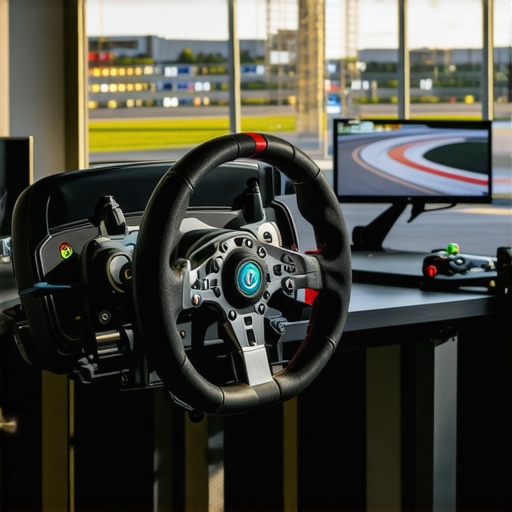
Ever sat dangerously close to your screen during a race, feeling your peripheral vision stretching to its limits, only to realize that even the best gaming setup can’t quite match the feeling of being in the driver’s seat? I vividly remember leaning in so much that I nearly knocked over my coffee, thinking, “There has to be a better way.” That was my lightbulb moment—discovering how a 1000R curved monitor transforms not just the gameplay but the entire immersive experience.
Experience Total Immersion, Not Just a Screen
In 2026, the leap in sim racing technology and display engineering is astonishing. The key to truly conquering virtual tracks isn’t just about powerful hardware or hyper-responsive controllers anymore—it’s about the viewing experience. When I first upgraded to a curved display with a 1000R radius, I felt an immediate difference. No more strained eyes or distracting peripheral borders. Instead, I got a panoramic view that mimicked the human eye’s natural field of view, pulling me deeper into the race.
This isn’t just about aesthetics. An immersive display reduces eye fatigue, enhances spatial awareness, and brings a more realistic perspective—crucial for competitive racing. Think of it as stepping inside a real cockpit, where the curve of your peripheral vision matters as much as the forward view. If your current ultrawide setup still leaves you feeling disconnected or distracted, it might be time for a serious upgrade. Want to explore how this technology can elevate your gameplay? Check out how curved displays are shaping the future of home entertainment.
Is the hype around 1000R curvature justified or just marketing fluff?
Trust me, early on, I made a mistake assuming that all curved monitors were the same. I bought a curved display without a true 1000R radius—thinking, “It looks cool, that counts, right?” Turns out, the size of the curve makes all the difference. Less-than-ideal curves can distort images, cause discomfort, or simply not deliver the full immersive effect. That mistake taught me the importance of understanding what ‘R’ genuinely means for your visual experience. As we dive deeper, I’ll show you how to avoid this pitfall and make an informed choice for your racing setup.
Select the Right Screen Size and Curvature
Start by choosing a monitor with a 1000R curvature, which closely mimics the human eye’s natural bend, ensuring even focus across the entire display. I recall spending an afternoon researching different curvature radii, and when I finally ordered a 34-inch, 1000R ultrawide, the difference in immersion was immediate. Avoid monitors with flatter curves, as they can cause distorted images and lessen the immersive effect.
Position It Correctly for Optimal View
Place your monitor at a distance where the curves align with your eye level—about an arm’s length (roughly 20-30 inches). Position it so that your eyes are centered horizontally, with the top of the screen just below eye level. I once set mine too high, resulting in neck strain; lowering it solved the discomfort and boosted my focus during long gaming sessions.
Ensure Proper Mounting or Stand Adjustment
If your monitor has adjustable height and tilt, fine-tune those settings to match your seated posture. Secure mounting helps prevent accidental shifts that disrupt immersion. When I upgraded my setup, I used a VESA mount to fine-tune positioning, which proved worth the effort.
Configure the Display Settings
Set the resolution to match the monitor’s native resolution—typically 3440×1440 for ultrawide models—to prevent blurriness. Enable a high refresh rate (generally 100Hz or above) for smoother visuals. I once overlooked this, resulting in choppy gameplay; once adjusted, the experience was dramatically improved. Adjust brightness and contrast for optimal clarity, considering ambient lighting in your space.
Calibrate Your Color Profile
Use calibration tools or software to fine-tune colors, ensuring realistic hues and reducing eye strain. I experimented with different profiles, eventually settling on a setting that felt natural and comfortable for marathon gaming weekends. This step enhances immersion by providing realistic visuals that match real-world color perception.
Optimize Software and Gaming Settings
Adjust in-game and system settings to maximize screen real estate—enable ultra-wide aspect ratios, disable unnecessary UI elements, and consider using game-specific configurations. For example, during a racing sim, I increased the field of view and reduced menu clutter, which made me feel like I was truly behind the wheel. Use software like the monitor’s driver suite to tweak brightness and color curves for different activities.
Experiment and Iterate
Finally, test the setup with various content—games, movies, productivity apps—and tweak your positioning and settings accordingly. I remember trying a new game and realizing I needed to angle my monitor slightly more inward; small adjustments make a significant difference. Regularly revisit your positioning and calibration to maintain immersion as your setup evolves.
 Many enthusiasts believe that simply upgrading to an ultrawide or curved monitor automatically enhances their immersive experience. However, the reality is more nuanced. A common misconception is that a larger curve or wider aspect ratio alone guarantees better immersion. In practice, many users fall for marketing hype, assuming that every curved or ultrawide display delivers the same benefits. The truth is, not all curves are created equal; a poorly calibrated or mismatched setup can cause distortions, eye strain, or even impair your gaming performance.
Is the curvature of your monitor actually optimizing your vision, or could it be introducing visual distortion?
Research from experts like vision scientists indicates that the effectiveness of a curved display depends heavily on how well it matches your seating position and screen size. For example, a 1000R radius is designed to align with the human eye’s natural curvature when viewed at an optimal distance. Failing to position your monitor correctly or choosing an improper curve can negate these advantages.
Another misbelief revolves around the idea that ultrawide or curved screens automatically boost productivity or gaming performance. While they can, only if configured properly. Poor calibration, incorrect brightness, or excessive screen width can lead to disorientation or decreased focus. For instance, some users might spend too much time adjusting their initial setup, trying to achieve perfect color balance or positioning—an often-overlooked step that profoundly influences the immersive quality of your display.
Proactively, understanding these nuances will save you from costly mistakes. Dive into detailed guides or consult with experts to learn how to fine-tune your setup effectively. Curved monitors should complement your environment and usage style; otherwise, you risk diminishing returns. If you want tailored advice or are curious about premium options, visit our contact page.
Ultimately, the key to truly elevating your viewing experience lies in mastering setup and calibration — not just purchasing the latest hardware. Curious if your current setup is optimal? Check out how comparing different display types can influence your immersion. Remember, the devil is in the details. Have you ever fallen into this trap? Let me know in the comments.
Essential Maintenance for Persistent Performance
To ensure your immersive screen remains at peak performance, regular cleaning with a microfiber cloth and gentle screen cleaners is vital. Avoid harsh chemicals that can damage coatings or cause discoloration. Dust buildup can also reduce image clarity, so routinely check and clean the vents and edges of your monitor or TV.
Additionally, firmware updates play a critical role. Manufacturers often release updates that improve stability, fix bugs, or enhance compatibility with new graphics cards. I make it a habit to check the manufacturer’s website monthly or enable automatic updates when available, ensuring my display functions seamlessly over the years.
Invest in Quality Tools and Calibration Software
Investing in tools such as a colorimeter allows precise calibration of your display’s color profile, ensuring consistent color accuracy and reduced eye strain. I rely on the X-Rite i1Display Pro because of its accuracy and compatibility with my setup. It helps me maintain the optimal color balance, especially during long gaming or editing sessions. Regular calibration, roughly every three to six months, keeps visuals crisp and immersive.
Complement this with calibration software like {Calibration Software Name}, which guides your adjustments step-by-step. Proper calibration not only preserves image quality but also prolongs the lifespan of your display components by preventing overuse of certain settings.
Preventative Hardware Checks and Long-Term Monitoring
Routine hardware checks, including inspecting cables, power sources, and stand stability, can prevent unexpected failures. Use software utilities to monitor display health metrics—many advanced monitors include built-in diagnostics. For example, I regularly run built-in self-tests to detect flickering or dead pixels early, addressing issues before they escalate.
Another tip is to manage ambient lighting to reduce glare and reflections, which can diminish immersion and cause eye fatigue over time. Installing anti-glare filters or adjusting room lighting can make a noticeable difference in comfort and visual clarity.
How do I maintain my immersive display for years to come?
Establish a routine that includes cleaning, calibration, and hardware inspections. Stay updated with firmware releases from your display manufacturer and use dedicated calibration tools to ensure color accuracy. Consider implementing a dedicated monitor standing setup, with adjustable mounts, to reduce physical stress and maintain ergonomics. I personally find that scheduling monthly check-ins keeps my setup reliable and immersive. Curious about enhancing your long-term display care? Try integrating a calibration device like the X-Rite i1Display Pro, which I use for flawless visuals. For more detailed guidance on maintaining or upgrading your setup, visit our contact page.
Research from display engineering experts suggests that regular calibration can extend the lifespan of your monitor’s color fidelity by preventing component drift (see this study). Don’t overlook the importance of thoughtful maintenance—your immersive experience depends on it. Remember, investing in quality tools and routine care ensures your ultrawide or curved monitor continues delivering breathtaking visuals for years to come.
Venturing into the world of ultrawide displays and curved monitors reveals a vital lesson that goes beyond hardware specifications. The most overlooked aspect is the importance of proper setup and consistent calibration. Over time, I learned that even the most cutting-edge monitor loses its edge if neglected—dust, misalignment, or outdated firmware can silently degrade your experience. Regular attention keeps your immersive environment pristine and responsive.
The Secret Sauce of Setup Mastery
One of my biggest lightbulb moments was realizing that ergonomic positioning isn’t just comfort—it’s immersion. Small tweaks, like angling the monitor precisely or adjusting height for eye-level alignment, drastically increased my feeling of being inside the game. This hands-on tweaking, combined with software calibration, created a seamless visual flow that felt natural and engaging. Think of it as tuning a musical instrument—precision matters for harmony.
Curated Tools for Lasting Effectiveness
- X-Rite i1Display Pro: This calibration tool became my trusted companion for ensuring consistent, vibrant colors. Its accuracy has justified every penny, especially during long gaming marathons or content creation.
- DisplayCAL Software: An open-source calibration suite that complements hardware tools, guiding me through detailed adjustments to maximize visual fidelity and reduce eye strain. It’s an empowering experience for anyone serious about display quality.
- Monitor Firmware Updates: Regularly checking the manufacturer’s website for firmware tips and upgrades has kept my setup running smoothly, preventing potential glitches and unlocking new features.
Embrace the Journey of Continuous Refinement
The real magic of building an immersive ultrawide environment lies in the iterative process. After initial setup, I discovered that revisiting my calibration and positioning every few months preserved the display’s vibrancy and responsiveness. Ambient lighting adjustments and cable management also play roles. This routine transforms a good setup into an exceptional one, ensuring that your investment continues to thrill over time.
Remember, the true value isn’t just the hardware but the care and attention you invest in making it optimal. If you’re curious about elevating your immersive experience, I highly recommend exploring industry-grade calibration tools and ergonomic accessories. For personal advice tailored to your space, don’t hesitate to reach out through our contact page.