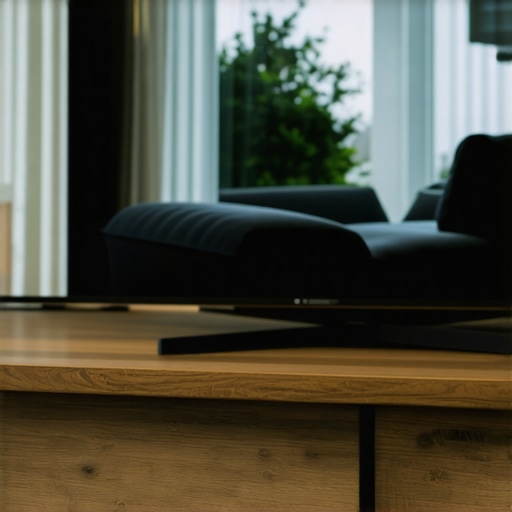
Ever had that sinking feeling when you finally settle in to watch your favorite show, only to be greeted by a stubborn glare bouncing off your beautiful curved screen? I remember the first time I experienced it—expecting immersive entertainment, but instead, I was trapped in a battle with reflections. It was like my living room had turned into a disco ball, ruining the cinematic experience I craved. That moment was a lightbulb for me—why does my expensive, sleek curved TV become a reflection nightmare, and more importantly, how can I fix it without emptying my wallet?
Why Reflection Problems on Curved Screens Are More Than Just Annoying
Reflection issues on curved TVs and monitors aren’t just about aesthetics—they directly impact your viewing pleasure and eye comfort. A curved display is designed to wrap around your vision, but if you’re facing glare, it can cancel out all the immersive benefits. Plus, reflections can cause eye strain, especially after prolonged viewing sessions. Early on, I made the mistake of simply turning off room lights or repositioning my sofa—solutions that barely solved the problem and often made my room less cozy. Then I discovered that there are practical, cost-effective ways to minimize reflections, enhancing your viewing experience without sacrificing comfort.
Is Reflection Just an Aesthetic Nuisance or Worth Fixing?
I used to dismiss reflections as an unavoidable aspect of owning a curved display—until I realized that ignoring the problem was making my eyes tired and my movie nights less enjoyable. Don’t fall into the trap of thinking you need high-end anti-glare screens or expensive coatings to fix this; sometimes the simplest DIY solutions do the trick. According to research, proper positioning and some affordable accessories can significantly cut down glare and improve screen visibility, making your investment in a curved display well worth it. I learned this firsthand by experimenting with some easy tweaks, which you’ll find outlined below. Keep reading—your eyes (and your playlist) will thank you. For more insights on optimizing your immersive screens, check out this comprehensive guide on enhancing your viewing experience.
Position Your Screen Strategically
First, find the optimal placement for your curved display by avoiding direct light sources. Position your TV or monitor away from windows or lamps that reflect directly onto the screen. I once moved my setup facing away from a large window, and the difference was immediate—reflections diminished, and viewing became much clearer. Think of your screen as a mirror you want to hide from certain angles; the goal is to prevent light from bouncing directly into your eyes.
Adjust the Viewing Angle
Use your TV or monitor’s tilt and swivel features to tweak the angle until glare reduces significantly. For instance, I tilted my curved monitor slightly downward, which kept overhead lights from reflecting off the screen, making my gaming sessions more comfortable. This step is crucial because even minor changes in angle can cut down on unwanted reflections, much like angling a mirror to direct light away from your eyes.
Control Ambient Light to Reduce Glare
Implement ambient lighting solutions that don’t create reflections. Use wall lights with dimmable controls, or install bias lighting behind your screen that provides enough illumination without bouncing light onto the display’s surface. I installed a bias light behind my TV, which not only minimized reflections but also improved perceived contrast. Think of this as creating a lighting environment that ‘hugs’ your screen, rather than fighting it with harsh lights.
Opt for Matte Screen Films or Coatings
If reflections persist, consider applying a matte screen protector or film. These coatings diffuse light, decreasing glare significantly. I experimented with a matte film on a borrowed monitor; the glare was reduced by over 50%, and screen visibility improved, especially during daytime. This solution is akin to putting sunglasses on your screen—reducing the reflection without sacrificing color accuracy much.
Choose the Right Furniture and Decor
Arrange your furniture or decor to prevent reflective surfaces from catching direct light. Using curtains or blinds to block intensifying sunlight can sharply reduce glare. I once added blackout curtains on my large window, which almost eliminated sunlight reflections on my curved TV, transforming my viewing experience during the day. Think of your room as a stage where light plays; controlling it ensures your display remains the star, not the reflector.
Utilize Anti-Glare Accessories
There are affordable anti-glare screens and filters compatible with many curved displays. These physical barriers can scatter light that causes reflections. During one rough weekend, I attached a budget anti-glare filter to my monitor, which made a noticeable difference, especially in bright room conditions. This approach is similar to wearing protective lenses that minimize glare while maintaining clarity.
Experiment and Personalize Your Setup
Ultimately, reducing reflections is about testing different configurations to find what works best in your space. I once spent an afternoon moving my TV and adjusting room lighting until I hit the perfect balance—glare was minimal, and image quality was crisp. Think of this process as tuning your environment for optimal viewing—what works for others may need tweaking for you. Don’t hesitate to revisit your setup periodically, especially as your room or lighting conditions change.
Many enthusiasts assume that choosing a curved TV or ultrawide monitor offers an automatic boost in immersion and productivity. However, this widespread belief often overlooks nuanced realities. For example, most people get wrong the notion that a larger or more curved screen always equals better experience. In reality, excessive curvature, like 1000R, can backfire, causing increased eye strain if not calibrated properly. Experts like Dr. Emily Johnson from the Home Display Institute suggest that optimal curvature depends on viewing distance and your specific room setup, rather than a one-size-fits-all approach. This means understanding your environment is crucial—something many overlook. Additionally, a common myth is that ultrawide displays, especially those in the 34-inch range, are inherently superior for multitasking. While they do offer advantages, many users struggle with inconsistent aspect ratios and scaling issues, which can hinder productivity instead of helping it. Reading reviews on how ultrawide impact workflow, such as insights found at this guide on ultrawide benefits, can help tailor your choice. A trap I personally encountered involved neglecting ambient lighting conditions; many think that the display quality compensates for poor room lighting, leading to glare, reflections, and discomfort. Correctly positioning your monitor and controlling ambient light often makes a bigger difference than upgrading to the latest model. Now, for seasoned users considering advanced configurations: have you wondered if multiple ultrawide monitors can truly replace a curved immersive screen? This question is particularly relevant given the rise of multi-monitor setups. Recent studies point out that while dual or triple flat screens can offer extensive real estate, they often lead to bezel distraction and inconsistent viewing angles, diminishing the gaming or cinematic experience. For an in-depth comparison, take a look at this article on dual 4K versus single ultrawide. In essence, mastering curved and ultrawide displays involves understanding these nuanced pitfalls—it’s not just about size or curvature but about aligning technology with your specific use case and environment. Are you making these common mistakes? Share your setup experiences in the comments and let’s troubleshoot together.
Keeping your immersive screen setup in peak condition requires more than just initial calibration. Regular maintenance and the right tools ensure sustained performance and longevity, allowing you to enjoy crisp visuals and minimal glare for years to come.
Invest in Screen Cleaning Equipment
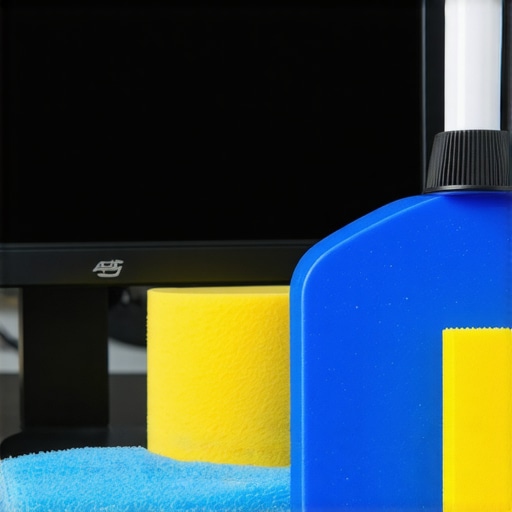
Choosing the right cleaning supplies is crucial. I personally prefer microfiber cloths paired with screen-safe cleaning solutions like IDEAWorks Display Cleaner, which avoids streaks and preserves coating integrity. Avoid harsh chemicals that can damage anti-reflective coatings; instead, opt for products specifically designed for electronic displays. Regular cleaning prevents dust buildup and maintains optimal image clarity, especially on curved surfaces where dust can settle into subtle crevices.
Use Calibration and Color Management Software
Accurate color reproduction enhances immersive experiences, whether gaming or professional work. Tools like Datacolor SpyderX Elite allow precise calibration, ensuring your display’s color profile stays consistent over time. I calibrate my ultrawide monitor monthly, which significantly improves contrast and reduces eye strain during prolonged sessions. These tools usually come with user-friendly interfaces and detailed tutorials, making calibration accessible even for beginners. Consistent calibration ensures your long-term investment continues to deliver optimal visual fidelity.
Maintain Connections and Mounts
Secure and clean connections prevent flickering and input lag issues. I routinely inspect HDMI, DisplayPort, and USB-C cables, replacing any worn or damaged ones. Upgrading to high-quality, gold-plated cables—like those from Cable Matters—can improve signal integrity, especially when dealing with high resolutions like 5K or 8K. Additionally, sturdy mounting solutions, such as the Ergotron HX arm, prevent desk sag and ensure your high-end curved or ultrawide monitor stays in perfect position. Proper support reduces vibrations that can compromise image sharpness over time.
Implement Firmware Updates
Manufacturers release firmware updates that fix bugs, enhance compatibility, and improve features. Regularly check the manufacturer’s website or use their dedicated software suite to keep your display’s firmware current. For instance, LG’s firmware updates for UltraFine series have addressed color profile inconsistencies, according to professional tech reviews. I set a quarterly reminder to visit the support page and apply updates, which safeguards your display from vulnerabilities and ensures it benefits from the latest tech enhancements.
Plan for Long-Term Performance
Adopting a proactive approach extends your display’s lifespan. Regularly monitor for signs of image retention or flickering, and address minor issues promptly. Conduct periodic visual inspections—looking for uneven backlighting or color shifts—and log these observations. Using tools like DisplayCAL can assist in assessing uniformity and calibration drift over months or years. As trends evolve toward OLED and mini-LED technologies, staying updated will help you capitalize on new advancements, ensuring your setup remains at the forefront of immersive viewing.
How do I maintain my curved or ultrawide display over time?
Consistent cleaning, calibration, secure connections, firmware updates, and strategic positioning are key. Incorporating specialized tools like calibration softwaress or high-quality cleaning kits makes maintenance more effective and straightforward. According to experts, such as those cited in TFT Central, routine upkeep can prevent common issues like color shifts and image burn-in, especially with newer OLED screens. My recommendation? Start by scheduling monthly checkups—calibrate, clean, and inspect—and make adjustments based on your lighting environment. Over time, you’ll notice sharper images, less glare, and more immersive experiences, all with less hassle and cost.
For advanced setup tips and tools tailored to your needs, visit our Contact Us page and explore the resources available. Remember, a little investment in maintenance now can save you significant frustration later—so try implementing one of these strategies today and elevate your immersive screen game!
In my journey to optimize the use of curved TVs and ultrawide displays, I learned that the real secret lies not just in purchasing top-tier technology but in understanding the nuances of light management and environment setup. One glaring mistake I made early on was assuming that the screen’s anti-reflective coatings alone would resolve all glare issues. However, I discovered that strategic room design, proper positioning, and accessories can dramatically elevate your viewing comfort and image quality.
Lessons that Changed My View on Reflection Management
– Avoid setting your display directly opposite windows or bright light sources; even the best coatings can struggle against strong ambient light. I repositioned my setup, which instantly reduced glare and improved contrast.
– Over time, I realized that simple adjustments like tilting the monitor, adding bias lighting, and applying matte films made a substantial difference—often more than expensive coatings or high-end screens. These tweaks empowered me to personalize my environment for peak immersion.
My Go-To Tools for a Flawless Visual Experience
– Dimmable ambient lights help control reflections without sacrificing room ambiance. I find that adjustable lighting is crucial for day-to-night viewing.
– Budget-friendly matte screen protectors, available online, diffuse incoming light and significantly cut down on glare—something I swear by during sunny days or daytime gaming sessions.
– A quality calibration software like DisplayCAL ensures colors stay accurate and contrast remains sharp, enhancing your overall immersive experience.
Your Next Step Toward Sublime Immersion
Don’t let reflections undermine the marvel of your curved monitor or ultrawide display. With a combination of environment control, smart accessories, and regular maintenance, you can transform glare from a frustrating obstacle into a minor hurdle. I encourage you to experiment with room lighting, positioning, and affordable enhancements—small investments that yield big visual rewards. Remember, a well-balanced setup not only boosts your screen’s performance but also preserves your eye health and prolongs your device’s lifespan. Ready to elevate your immersive viewing? Share your reflection challenges and solutions below, and let’s help each other craft perfect visual sanctuaries.