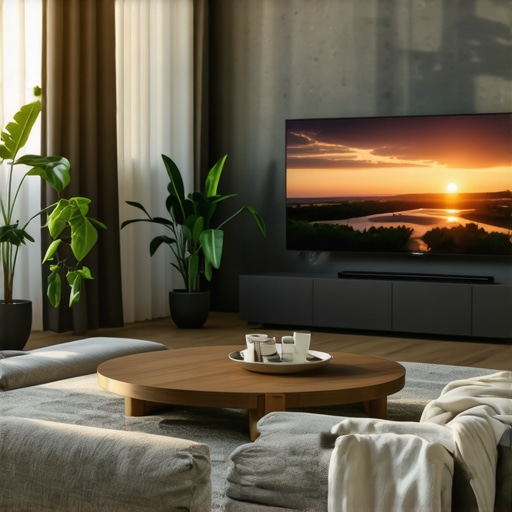
I remember the exact moment I realized my old flat-screen just wasn’t cutting it anymore. I was sprawled on my sofa, trying to get lost in a movie, but the edges felt distant, and the flatness somehow made everything seem less real. That lightbulb moment led me down a rabbit hole of researching the latest in display tech, and I discovered a game changer: curved TVs and ultrawide displays. These aren’t just trendy gadgets—they genuinely transform your viewing experience.
Why You Should Care About Curved and Ultrawide Displays
If you’ve ever felt that your home entertainment system isn’t quite immersive enough, or that multitasking on your monitor feels cramped and disconnected, then this guide is for you. I’ll share my journey and help you understand why these screens are more than just eye candy. They’re the key to bringing cinematic grandeur and productivity to your living room or workspace.
Is the Hype Justified or Overblown?
Early on, I made a mistake—thinking all these fancy screens were just a luxury, not a necessity. But I overlooked the fact that a well-designed curved display actually reduces eye strain and enhances depth perception, making long viewing or working sessions more comfortable. According to a study by the Society for Information Display, curved screens can significantly improve viewing comfort and reduce glare. So, before you dismiss the hype, consider whether your current setup is truly serving your needs.
Are you tired of squinting at the edges of your old TV? Do you feel your workspace could be more efficient with a wider, more immersive monitor? If yes, then keep reading. We’re about to explore how these innovative screens can elevate your entertainment and productivity, backed by expert advice and real-world experiences. Ready to upgrade your viewing game? Let’s dive into how you can make that happen with the right choice of curved and ultrawide displays.
Assess Your Space and Needs
Before diving into any purchase, measure your available space carefully. Use a tape measure to check the room dimensions and your desk or wall space. Think about your primary use—gaming, movie watching, or multitasking—and prioritize features accordingly. For example, if you want an immersive gaming experience, look for a high refresh rate and low response time. If productivity is your goal, focus on size and clarity.
Choose the Right Screen Type and Size
Decide between a curved TV or an ultrawide monitor based on your needs. I once bought a 34-inch ultrawide monitor without considering my desk space, leading to a cramped setup. I ended up choosing a 49-inch ultrawide curved TV instead, which fit better and provided a more immersive experience. For gaming and general use, ultrawide displays around 34-38 inches are ideal. For a home theater setup, a larger curved TV (55 inches or more) makes sense.
Matching Curvature and Resolution
Pay attention to the curvature radius. A 1800R curve offers a gentle bend, suitable for most rooms and desks. For resolution, aim for at least 1440p (QHD) on ultrawide monitors and 4K on larger curved TVs. This ensures sharp images and reduces eye strain during long sessions. I found that upgrading from 1080p to 1440p on my ultrawide monitor made a noticeable difference in clarity and comfort.
Set Up Your Display Properly
Position the screen so that the top edge is at or just below eye level. Keep the screen about an arm’s length away—roughly 20-30 inches. Use adjustable stands or mounts to achieve this. When I set up my ultrawide monitor, I realized that placing it too high or low caused neck strain, so I adjusted my desk height and monitor angle accordingly. Proper positioning reduces fatigue and maximizes immersion.
Adjust Display Settings for Comfort
Calibrate brightness, contrast, and color settings to match your environment. Enable blue light filters if available. I initially used default settings but found that reducing brightness and enabling a blue light filter eased eye strain during long sessions. Also, disable unnecessary features like dynamic contrast or motion smoothing unless you prefer them for gaming.
Optimize Your Content and Software
Configure your applications to utilize the wider aspect ratio. For gaming, set the resolution and aspect ratio in-game settings. For productivity, arrange multiple windows side-by-side or use virtual desktops. I used software like DisplayFusion to manage window layouts efficiently on my ultrawide monitor, which significantly boosted my multitasking speed.
Enhance Your Viewing Experience
Consider adding ambient bias lighting behind your display. It reduces contrast between the bright screen and dark room, easing eye strain. Also, explore content tailored for ultrawide formats—many streaming services now support these ratios. I tested a few movies and found that ultrawide content creates a truly cinematic feel, drawing me deeper into the experience.
Regular Maintenance and Updates
Keep your display’s firmware updated for optimal performance. Clean your screen regularly with a soft, lint-free cloth. I learned that dust and fingerprints can diminish clarity, so a weekly wipe kept my setup looking sharp. Check your display settings occasionally to ensure they still suit your usage patterns and adjust as needed.
Many enthusiasts and even seasoned tech users fall into certain traps when choosing or setting up curved and ultrawide displays. One of the most widespread misconceptions is that these screens are only for gamers or tech enthusiasts, but in reality, their benefits extend far beyond that narrow niche. For example, a common myth is that ultrawide monitors are just a gimmick for multitasking. While they do enhance productivity, they also significantly improve immersion in gaming and media consumption, creating a cinematic experience that traditional screens simply can’t match. According to a study by the Society for Information Display, users report reduced eye strain and increased comfort with properly calibrated curved screens, especially during long sessions. But here’s where many go wrong: they assume that bigger or curved is always better without considering their specific space and use case, which can lead to a cluttered or uncomfortable setup.
Another misconception is that curved displays distort image quality or cause visual fatigue. In fact, modern curved screens are designed with advanced technology that minimizes distortion, provided they are chosen with the correct curvature radius—usually around 1800R for most rooms. The real issue is improper setup: placing the monitor too high, too close, or at an awkward angle can negate these benefits and even cause discomfort. Proper positioning and calibration are crucial, yet often overlooked, resulting in users experiencing the very fatigue they sought to avoid.
An advanced point many overlook is the impact of curvature on color accuracy and contrast. Some assume that the curve compromises these aspects, but high-quality panels maintain excellent color fidelity across the screen. In fact, the curve enhances perceived contrast and depth perception, making images appear more lifelike. This is especially noticeable in HDR content, where the immersive effect is amplified. For those interested in maximizing their viewing experience, exploring the technical specifications—such as a 1800R curvature combined with 4K resolution—can make a substantial difference, as detailed in articles like this guide.
Lastly, many believe that ultrawide monitors are only suitable for gaming or creative work, but their versatility makes them ideal for multitasking, entertainment, and even professional tasks like data analysis or coding. They eliminate the need for multiple monitors, creating a seamless workspace. However, an oops to avoid is choosing a model with inadequate resolution or poor ergonomic features, which can diminish the overall benefits. Always consider factors like refresh rate, response time, and ergonomic adjustments. For an in-depth look at how to optimize your setup, check out this resource.
So, have you ever fallen into this trap or misunderstood any aspect of curved or ultrawide displays? Let me know in the comments! Understanding these nuances ensures you make smarter choices and truly enjoy the immersive experience these screens can offer.
Ensuring your curved or ultrawide display continues to perform at its best over time requires a combination of proper tools, regular maintenance, and smart setup habits. From cleaning routines to software updates, I’ve developed a set of specific practices and recommended equipment that keep my displays looking sharp and functioning flawlessly. These methods aren’t just about aesthetics—they’re vital for preserving image quality and extending the lifespan of your investment.
Why Using the Right Cleaning Supplies Matters
First off, I always emphasize the importance of gentle cleaning to avoid damaging delicate display surfaces. I personally prefer a microfiber cloth combined with a solution of distilled water and a small amount of isopropyl alcohol (70%). This mixture effectively removes fingerprints, dust, and smudges without risking streaks or scratches. I avoid harsh chemicals or paper towels, which can harm coatings or scratch the screen. Regular cleaning—once a week—keeps the display pristine and ensures the colors remain vibrant.
Invest in a Quality Monitor Hood or Mount
To minimize glare and reflections, I recommend using a monitor hood or an adjustable mount that positions your display at the optimal eye level and angle. For ultrawide setups, an ergonomic mount with tilt, swivel, and height adjustments helps maintain a comfortable viewing position, reducing neck and eye strain. When I upgraded to my ultrawide monitor, switching to a high-quality adjustable arm made a noticeable difference in reducing fatigue, especially during long work sessions.
Keep Firmware and Software Up to Date
Manufacturers often release firmware updates that improve performance, fix bugs, or enhance compatibility. I regularly check the manufacturer’s website or use their dedicated software to ensure my display’s firmware is current. Additionally, I optimize display settings with calibration tools like DisplayCAL, which allows me to fine-tune color accuracy and brightness, maintaining image quality over the years. These updates and calibrations are crucial for preserving the immersive quality of my curved screen, as detailed in this guide.
How do I maintain my display’s performance over time?
One of the most effective ways to keep your display working smoothly is to establish a regular maintenance routine that includes cleaning, calibration, and software updates. Using tools like a high-quality microfiber cloth and a gentle cleaning solution prevents dust buildup and maintains clarity. Additionally, routinely checking and updating firmware ensures you benefit from the latest performance improvements. I also recommend enabling power-saving modes and avoiding static images when possible, to prevent burn-in on OLED panels. For long-term health, keep the display environment cool and dust-free, and consider using dust filters or covers when the monitor is not in use. These steps help maintain image integrity and extend your display’s lifespan, especially as technology trends suggest increasing longevity and durability in next-gen ultrawide and curved screens. For more advanced setup tips, explore this resource.
In the future, I believe these maintenance practices will evolve with smarter, self-calibrating displays that monitor their own health and notify users of issues proactively. Embracing these innovations now by adopting diligent upkeep routines ensures you get the most out of your immersive screen experience for years to come. Ready to implement these tips? Start with a gentle cleaning session today and see the difference it makes in your viewing quality!
The Hardest Lesson I Learned About Curved and Ultrawide Screens
One of my biggest surprises was realizing that a perfect setup isn’t just about choosing the right monitor but also about how you position and calibrate it. I once placed my ultrawide monitor too close, causing unnecessary neck strain and distortion. The lightbulb moment was when I moved it back to the recommended distance and adjusted the tilt—suddenly, the experience was much more immersive and comfortable. This taught me that setup details matter more than the specs on paper.
My Essential Toolkit for Immersive Display Setup
To keep my curved and ultrawide displays in top shape, I rely on a few trusted tools. A high-quality microfiber cloth and gentle cleaning solution are my go-to for daily maintenance. For calibration, I use software like DisplayCAL because it helps me fine-tune color accuracy, ensuring vibrant images and reduced eye strain. An ergonomic monitor mount also makes a huge difference, allowing me to adjust height and angle effortlessly. These tools have become my secret weapons for maintaining an immersive, comfortable viewing experience.
Your Turn to Try
Whether you’re upgrading your home theater or your workspace, remember that the true value of curved and ultrawide displays lies in how well you set them up and maintain them. Small adjustments and regular care can turn a good monitor into a game-changing centerpiece of your daily life. Don’t wait—start experimenting with positioning, calibration, and cleaning today, and unlock the full potential of your immersive screen experience.
This post resonates with my own experience of upgrading from a standard flat-screen to a curved ultrawide monitor for both work and entertainment. The difference in immersion is night and day, especially when watching movies or gaming; it truly creates a cinema-like experience right in my living room. I also appreciated the detailed tips on setup and calibration. One challenge I faced was managing reflections and glare, which I mitigated by investing in a monitor hood and adjusting the monitor’s position. It made a significant difference in reducing eye strain and improving overall comfort during long sessions. Have others noticed similar reductions in eye fatigue with proper setup? It seems like a small tweak that yields big benefits. Additionally, I’m curious—what are some common pitfalls to avoid when choosing an ultrawide display? There’s so much variety, and I want to ensure I make the best decision.
Your detailed post really hits home about the importance of proper setup and calibration. I’ve found that even a well-chosen ultrawide monitor can fall short if it’s not positioned correctly in the room. I used to place my monitor too close, which caused neck strain and made the edges seem distorted. Moving it back to the recommended distance and adjusting the tilt made a world of difference, just as you mentioned. What’s interesting is how small ergonomic tweaks can improve comfort and immersion far more than upgrading to the latest model. I’ve also started experimenting with bias lighting behind my monitor, and the reduction in eye fatigue has been noticeable during long sessions. For those just starting with ultrawides, do you have any tips on choosing the right ergonomic mount? I want to ensure I can adjust height and angle easily without sacrificing stability or aesthetics. Proper setup seems so critical—would love to hear how others find their ideal configuration, especially in smaller rooms where space is limited.
This comprehensive guide really hits the mark on how crucial proper setup is for maximizing the benefits of ultrawide and curved displays. I’ve experienced firsthand how even minor adjustments—like screen positioning and calibration—can drastically improve comfort during long viewing or work sessions. I also found that investing in a good quality monitor arm was a game changer, allowing me to fine-tune height and tilt without hassle. One challenge I encountered was dealing with glare during afternoon hours when sunlight hits my windows. Since I work in a bright room, I ended up using anti-glare screen protectors, which made a noticeable difference. I wonder how many others here have faced this issue and what solutions worked best for them. Do you think that investing in better window treatments or blinds could be a more effective long-term strategy? Also, with the rapid advancements in display technology, do you see self-calibrating screens becoming the norm soon? It would be nice to have a setup that constantly maintains optimal image quality without manual calibration, saving time and ensuring consistently sharp visuals. Would love to hear your thoughts or additional tips for perfecting an ultrawide setup.
This post really hit home for me. I recently upgraded to a 34-inch ultrawide curved monitor for both work and gaming, and I can’t believe how much more immersive my experience has become. One thing I’ve realized is that a good setup makes all the difference—positioning the monitor at eye level and about an arm’s length away has greatly reduced my neck and eye strain. I’ve also started experimenting with bias lighting behind the screen, which seems to enhance contrast and eases fatigue. The technical details about curvature and resolution mentioned in the post are so helpful; I opted for a 1800R curve with 1440p resolution, and the difference in clarity and comfort is noticeable. For anyone considering a similar upgrade, what are your go-to calibration tools or tips? I’d love to hear how others are optimizing their settings for long sessions. Do you think these adjustments are enough, or are there other ergonomic accessories you’d recommend for peak comfort and immersion?
Reading through this post really made me reflect on my own setup. I recently upgraded to an ultrawide monitor after experiencing some eye strain and discomfort with my previous flat-screen. The difference in immersion is incredible, especially during long work hours and binge-watching weekends. One thing I’ve found particularly helpful is ensuring my monitor is positioned perfectly—at eye level and about an arm’s length away. I also started using a bias light behind the screen, which not only reduces eye fatigue but also creates a cozy ambiance.
I’m curious, for those who have tried the calibration process, what tools do you swear by? I’ve been considering investing in a color calibration device, but I’d love to hear personal experiences on what makes a noticeable difference. Additionally, how do others handle glare issues, especially in rooms with lots of windows? I’ve come across some anti-glare screens, but not sure if they’re worth it. It’s fascinating how small adjustments can significantly boost the viewing experience. Looking forward to hearing everyone’s tips and tricks to optimize these impressive displays!